Epic Games Account: Create, Recover & Manage Your Profile Easily
An Epic Games Account is the key to accessing some of the most popular games and services in the gaming world. From Fortnite to Rocket League and the Epic Games Store, this account allows players to save progress, manage purchases, and enjoy cross-platform features. Proper management of your Epic Games Account ensures secure gameplay, uninterrupted access to your favourite titles, and a seamless experience across devices.
Having an Epic Games Account also opens the door to exclusive offers, free games, and seasonal events hosted by Epic Games. Whether you are a casual gamer or a competitive player, understanding how to create, recover, and manage your account enhances your gaming experience. A secure and well-maintained account helps prevent unauthorized access and provides peace of mind while playing online.
What is an Epic Games Account?
An Epic Games Account is essentially a personal profile that connects you to Epic Games’ ecosystem. It stores your game library, achievements, and settings, enabling cross-platform play and cloud saving. This account is vital for anyone who wants to play Epic titles or access the Epic Games Store. It ensures your progress is saved and linked to your profile regardless of the device you are using.
Beyond gaming, an Epic Games Account serves as a hub for community engagement. It allows players to interact with friends, participate in events, and redeem exclusive offers. Your unique Epic Games ID, associated with the account, provides a secure way to identify yourself while playing online. Properly understanding the functions of your account can enhance both gameplay and digital security.
How to Create an Epic Games Account
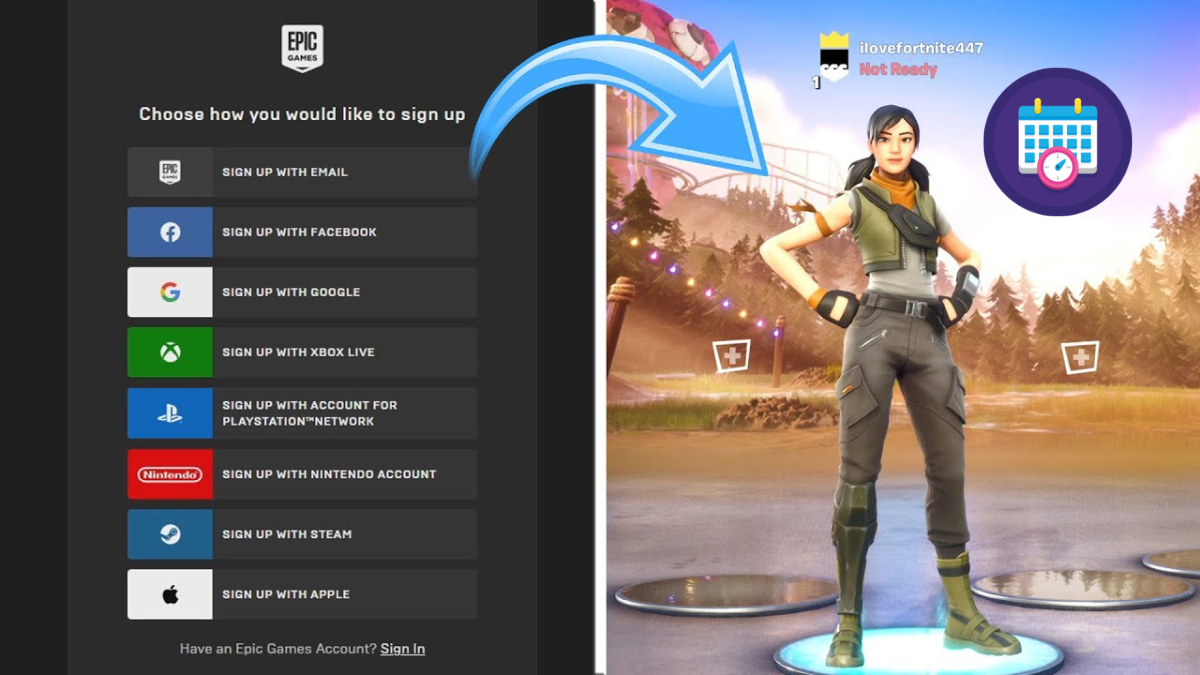
Creating an Epic Games Account is straightforward and can be completed within a few minutes. Begin by visiting the official Epic Games website and selecting the sign-up option. You will need to provide a valid email address, choose a secure password, and fill in personal details such as your date of birth and country of residence.
After submitting your details, you will receive a verification email. Activating your account through this email ensures that your Epic Games Account is legitimate and secure. Additionally, enabling two-factor authentication adds an extra layer of protection. Following these steps helps safeguard your account from unauthorized access and prepares it for cross-platform gameplay and purchases.
How to Recover or Reset Your Epic Games Account

If you forget your password or cannot access your Epic Games Account, there are reliable recovery options available. The first step is to click on the “Forgot Password” link on the login page. Enter the email linked to your account and follow the instructions to reset your password securely.
In cases where your account has been compromised or hacked, contacting Epic Games support is the most effective solution. They guide you through verification steps to reclaim your account. Keeping recovery information updated and regularly reviewing security settings ensures that your Epic Games Account remains protected against potential threats.
Linking and Unlinking Accounts
An Epic Games Account can be linked to multiple console accounts, including PlayStation, Xbox, and Nintendo Switch. Linking accounts allows you to enjoy cross-platform play, share progress, and maintain consistent in-game statistics across devices. This feature is particularly useful for players who switch between consoles or play with friends on different platforms.
Unlinking accounts should be done carefully to avoid losing game progress or access to purchases. Epic Games provides a detailed guide on how to safely unlink console accounts. Maintaining proper linking and unlinking practices ensures that your Epic Games Account remains secure, flexible, and optimised for all forms of gameplay.
Managing Your Epic Games Account Settings
Your Epic Games Account settings provide extensive options to manage personal information, security, and privacy. You can update your display name, email address, and password, while enabling two-factor authentication adds extra protection against hacking attempts. Regularly checking and updating these settings is essential for account safety.
Additionally, your account settings allow you to manage purchases, subscriptions, and payment methods. Setting parental controls ensures that younger users enjoy safe gameplay. By staying proactive with account management, you can prevent unauthorized access, optimise your gaming experience, and ensure that your Epic Games Account functions smoothly across all devices.
Common Epic Games Account Issues and Solutions
Many players experience issues such as login errors, access problems, or account suspensions with their Epic Games Account. Common troubleshooting methods include checking internet connectivity, updating the Epic Games launcher, and verifying account credentials. These steps often resolve most minor problems quickly.
For more serious issues, including hacked or suspended accounts, contacting Epic Games support is crucial. Following their guidelines helps restore access and prevent recurring problems. Maintaining account security, linking accounts carefully, and enabling two-factor authentication are all strategies to avoid future difficulties and keep your Epic Games Account functioning properly.
Conclusion
An Epic Games Account is essential for anyone seeking to explore Epic Games’ titles and services fully. From creating an account to linking consoles, managing settings, and securing personal information, proper account care enhances gameplay and ensures safety. Regular updates, secure passwords, and active management protect your account against unauthorized access and technical issues.
By understanding how to create, recover, and maintain your Epic Games Account, players can enjoy a smooth, safe, and enjoyable gaming experience. Following these practices maximises the benefits of your account, including cross-platform play, access to free games, and participation in events. A well-maintained Epic Games Account is truly the gateway to the full Epic Games experience.
Frequently asked questions
What is an Epic Games Account, and why do I need one?
An Epic Games Account is your personal profile to access games, manage purchases, and play across platforms.
How can I create an Epic Games Account quickly?
Visit the Epic Games website, sign up with a valid email, set a secure password, and verify your account.
How do I recover my Epic Games Account if I forget my password?
Use the “Forgot Password” option on the login page and follow the instructions to reset it via your registered email.
Can I link my console account to Epic Games?
Yes, you can link PlayStation, Xbox, or Nintendo Switch accounts to your Epic Games Account for cross-platform play.
How do I unlink an Epic Games Account safely?
Go to your account settings on the Epic Games website and follow the unlink instructions for the connected console.
What is the difference between my Epic Games ID and display name?
The Epic Games ID is a unique identifier for your account, while the display name is what other players see in-game.
How do I enable two-factor authentication on my Epic Games Account?
Enable 2FA through your account settings using email or an authenticator app for extra security.
How do I manage purchases and payment methods on Epic Games?
Access account settings, go to the payment section, and update or remove saved payment methods and manage purchases.
Why can’t I log into my Epic Games Account?
Login issues may occur due to incorrect credentials, server problems, or account security restrictions.
How do I prevent my Epic Games Account from being hacked?
Use a strong password, enable two-factor authentication, and avoid sharing your account details with others.
Also Read: thad luckinbill